🎮 Game Controls & Keyboard Guide
Play Crazy Stunts 3D Fullscreen on iLearnWorld
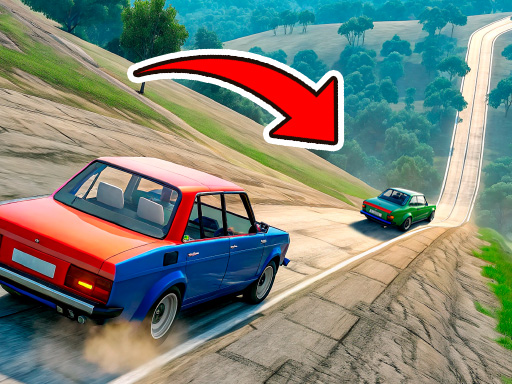
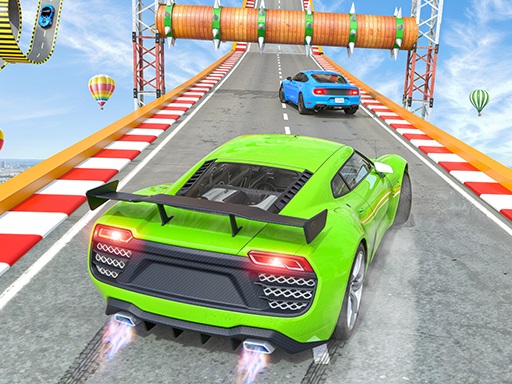
Get behind the wheel and conquer extreme tracks! Jump from ramps, compete with players, complete modes and unlock new cars!
Get ready for an adrenaline-fueled experience with Crazy Stunts 3D, an exceptional Racing game that pushes your skills and reflexes to their absolute limits.
⚡ Key Features
🎮 Responsive Controls
Optimized for smooth keyboard, mouse, and touchscreen input across all devices.
⚡ Instant Browser Play
No installation, downloads, or plugins required. Loads in seconds directly in HTML5.
🗨️ Frequently Asked Questions

⭐ Pro Tips & Strategy
Save your Nitro boost for straightaways to achieve maximum top speed advantage. Watch opponent slipstreams to gain extra drafting speed before overtaking on straight paths.
Complete Guide & Gameplay for Crazy Stunts 3D
From the opening stage to the final showdown, Crazy Stunts 3D rewards strategic foresight. Study the terrain layout and adapt your strategy on the fly for peak performance.
This classic Racing & Driving browser title is fully optimized for HTML5 browsers, delivering responsive physics and immersive action on desktop, mobile, and tablet platforms without downloads.
